

Find your way around
Everything you work with is in the menu on the left. MainLodge opens on the Calendar.
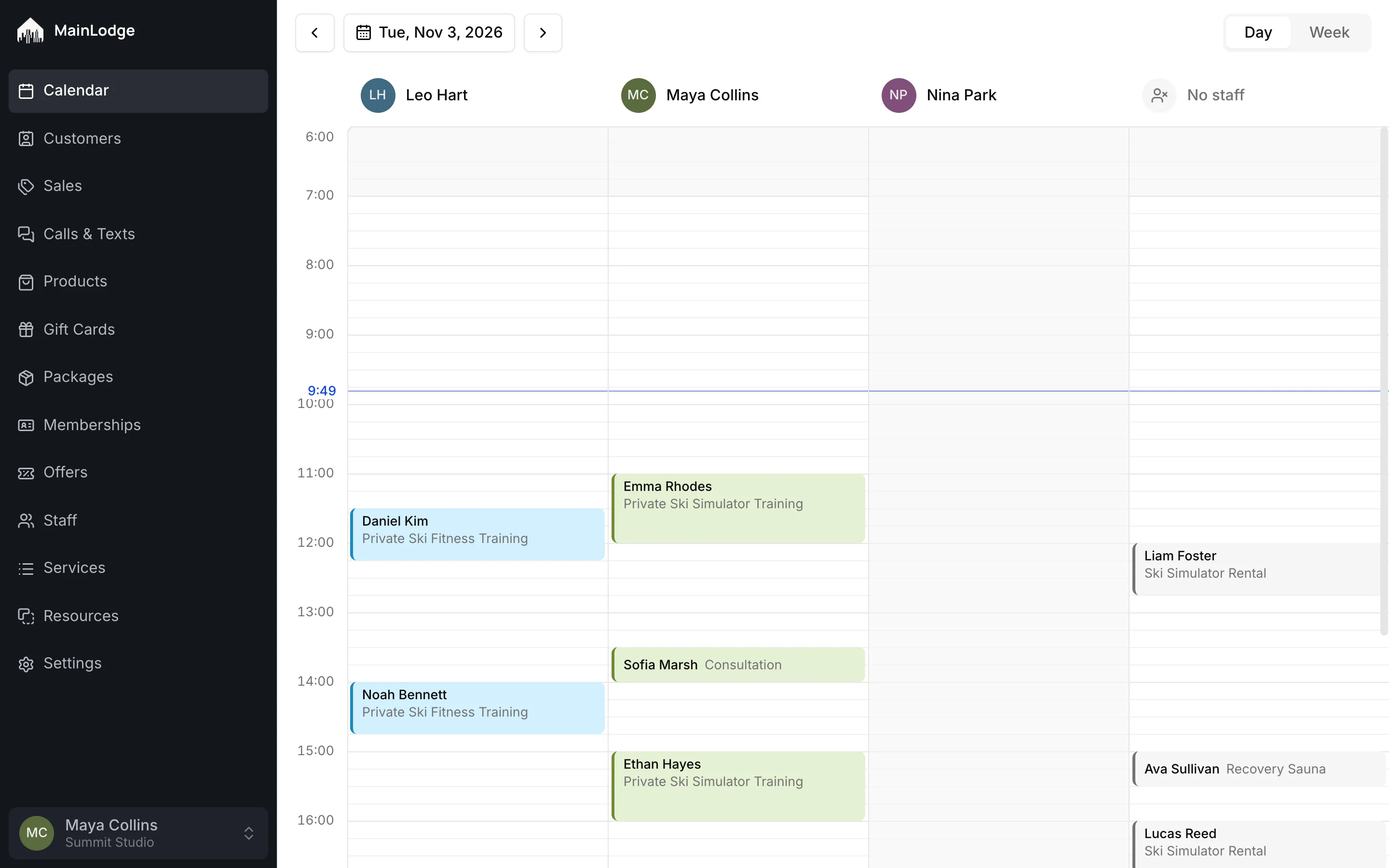
The menu
Section titled “The menu”| Section | What’s there |
|---|---|
| Calendar | Today’s and upcoming appointments, one column per staff member. |
| Customers | Everyone who has booked or bought from you, with their history and notes. |
| Sales | What was sold and paid, and sales still waiting for payment. |
| Calls & Texts | Calls and text messages with customers, once a phone system is connected. |
| Products | Things you sell at the desk. |
| Gift Cards, Packages, Memberships, Offers | What customers can buy ahead and pay their visits with. |
| Staff | Your team and what each person can do. |
| Services | What customers book, grouped in categories. |
| Resources | The equipment and rooms services use. |
| Settings | Your business details, booking rules, messages to customers and integrations. |
You see only the sections your role allows.
Your account
Section titled “Your account”Your name and your studio are at the bottom of the menu. Open it for your account settings — name, email, password — and to sign out.