

Connect Stripe
Your studio takes money into its own Stripe account. You set Stripe up in your Stripe Dashboard and paste two values into MainLodge.
Online, customers pay for packages, memberships and gift cards. Visits are paid at the studio.
1. Copy your secret key
Section titled “1. Copy your secret key”In Stripe, go to Developers → API keys and copy the Secret key. It starts
with sk_live_ (or sk_test_ while you try things out).
2. Create the webhook
Section titled “2. Create the webhook”The webhook is how Stripe tells MainLodge that a payment went through.
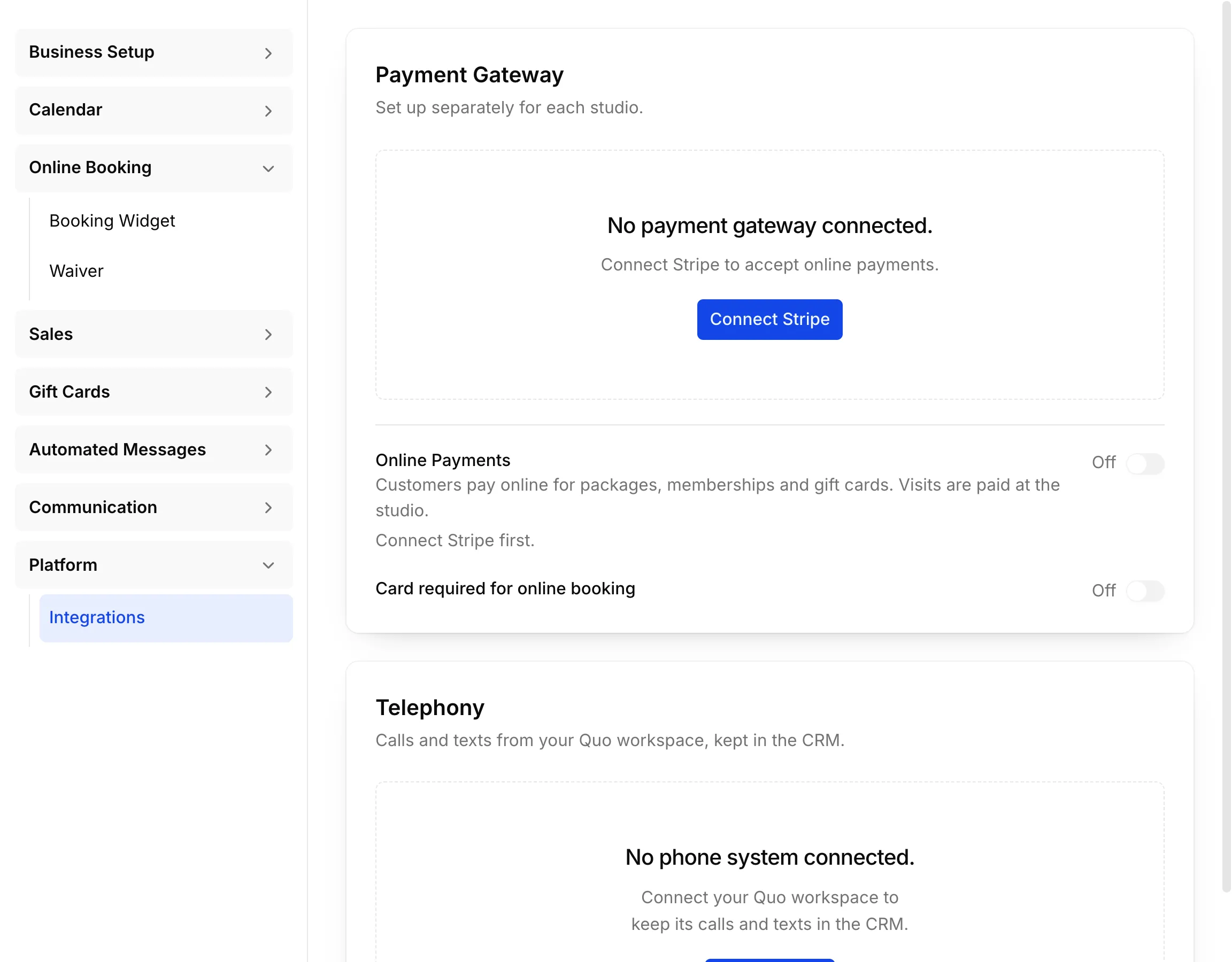
- In MainLodge, open Settings → Platform → Integrations → Payment Gateway and copy the Endpoint URL under Webhook.
- In Stripe, go to Developers → Webhooks → Add endpoint and paste the URL.
- Select the events MainLodge lists under Events to Send:
checkout.session.completedcheckout.session.async_payment_succeededcheckout.session.async_payment_failedcheckout.session.expiredcharge.refundedrefund.updatedrefund.failedinvoice.paidinvoice.payment_failedcustomer.subscription.deleted
- Create the endpoint and copy its Signing secret (
whsec_…).
3. Save both keys in MainLodge
Section titled “3. Save both keys in MainLodge”- In Settings → Platform → Integrations → Payment Gateway, choose Connect Stripe.
- Paste the Secret key and the Webhook secret, and save.
- Switch Online Payments on.
Saving the webhook secret doesn’t prove Stripe can reach MainLodge. Make one test purchase and check the event arrives in Stripe’s webhook log.
Card at online booking
Section titled “Card at online booking”With Card required for online booking on, customers save a card when they book online, and you charge it at the studio.
In your Stripe Dashboard
Section titled “In your Stripe Dashboard”No publishable key is needed: checkout runs on Stripe’s own page. Keep Cards on under payment methods. Optionally, set your checkout logo and colours in Branding, what customers see on their bank statement in Public details, and Stripe’s own receipts in Customer emails.
Restricted key permissions
Section titled “Restricted key permissions”| Resource | Access |
|---|---|
| Balance | Read |
| Account | Read |
| Checkout Sessions | Write |
| Customers | Write |
| Payment Intents | Write |
| Payment Methods | Write |
| Setup Intents | Read |
| Refunds | Write |
| Subscriptions | Write |
| Invoices | Write |